



Go to Windows platform Display platforms icon
Go to Windows platform Go to Mac platform Go to Android platform Go to iOS platform
Houdoku icon

Houdoku

2.16.0
0 0 reviews
332 downloads
security security

A free manga reader for Windows

Advertisement
Remove ads and more with Turbo
Advertisement
Remove ads and more with Turbo
Merche Contreras icon
Reviewed by
Merche Contreras
Content Editor
Merche Contreras is part of Uptodown's in-house Editorial Team. Translated by Uptodown Localization Team

Houdoku is an open-source desktop app designed for you to enjoy your favorite series with complete freedom and without relying on commercial platforms. More than just a simple reader, Houdoku works as a whole digital library that centralizes all your manga in a clean, modern, and optimized interface for smooth reading. Its philosophy is based on offering users total control over their experience, allowing them to import, organize, update, and read content from multiple sources through official extensions.

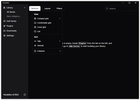
Manage your manga collections

Houdoku works as a library manager where you can add your favorite titles, track your reading progress, and be notified when new chapters are available. Its organization system will allow you to sort series by name, status, genre, or update date, so you can find practically anything, even when your collection has hundreds of works. In addition to this, each file includes detailed information such as a synopsis, cover, authors, number of chapters, and publication status, all without needing an Internet connection.

Advertisement
Remove ads and more with Turbo

Connected with global sources

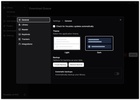
One of the best features of Houdoku is its compatibility with extensions. Through these, the program connects with a wide variety of online manga sources, providing access to international catalogs and reading without the need to manually download each chapter. Thanks to this, you can select which sources you want to activate, prioritize servers, and customize the language of the content.

Read your manga in the most comfortable way

The Houdoku reader is designed to offer a smooth and immersive experience, allowing you to choose between different display modes such as single page, double page, continuous scrolling, or right-to-left reading. You can also adjust the zoom dynamically and easily switch between chapters with keyboard shortcuts or gestures. The app also features an automatic progress saving system, so you can continue where you left off. Add to all the above a graphic environment that has been designed to prevent distractions, with customizable backgrounds and a minimalist interface that really shines the spotlight on the drawings. Ultimately, you'll be able to enjoy your manga however you like best.

If you're looking for a good manga reader, download the Houdoku APK for free and enjoy this efficient manga collection manager and reading customization tool.

Information about Houdoku 2.16.0

Basic information

Developer xgi
Category E-Books
Rating All ages
Languages English

Distribution model

Pricing Free
License MIT
Source code
Copyright © 2026 xgi
Why is this app published on Uptodown? (More information)

Security and privacy

Required permissions Not applicable
See security and antivirus report

Download info

Downloads 332
Date Nov 6, 2025
File type EXE
Size 113.23 MB
SHA256 1ff6184dba55c8af2e05df197fe2ad42746a637c06ab673a3d2c4f0be01fe39a
Advertisement
Remove ads and more with Turbo
Available for other platforms

Rate this App

Review the app
Houdoku icon

Comments

There are no opinions about Houdoku yet. Be the first! Comment

Advertisement
Remove ads and more with Turbo
Z-Library icon
Access a huge library from your desktop
Mangayomi icon
A desktop client for manga and anime
Aquile Reader icon
A convenient e-book reader
Kindle Previewer icon
Preview your ebooks before publishing them
Miru icon
Manga, anime and novels in a single app
Hamster Free eBook Converter icon
Convert your eBooks to any format
Calibre icon
A superior e-book manager
Suwayomi icon
Read and organize manga from your PC
Mangayomi icon
A desktop client for manga and anime
Miru icon
Manga, anime and novels in a single app
Suwayomi icon
Read and organize manga from your PC
HakuNeko icon
Download as much manga and anime as you want
Yomikiru icon
A powerful reader for manga, comics and offline books
Rulia icon
Comprehensive manga reader with support for plugins
FMD2 icon
Download manga in the most convenient way
Kavita icon
Create your local comic and book server
Rufus icon
Create boot disks from an external drive
VLC Media Player icon
A powerful media player and streaming server
DS4Windows icon
Use DualShock 4 controllers on your PC
Proton VPN icon
Powerful, free, secure and unlimited VPN
DLSS 5 Swapper icon
Install and manage DLSS 5 in games and emulators
SolidCraft icon
Design parametric 3D parts with an editable history on your PC
Craft Anything icon
Analyze any software or website and build your own version on your PC
CubicAdventurer icon
CubicAdventurer is a highly-configurable tabbed file manager
3uTools icon
The best way to manage your iOS device
Proteus icon
Comprehensive solution for electronic circuit design
ChatGPT icon
Windows desktop version of ChatGPT
Codex icon
OpenAI's official companion for programming with ChatGPT
Claude icon
An AI-based chatbot that respects your privacy
Quick Share icon
Send files quickly from Android to Windows
Kindle icon
The best way to read your Kindle books on a computer
OP Auto Clicker icon
Automate mouse clicks on your computer